安全代码审查- II
创建GitHub拉取请求
现在我们已成功将AWS Security Agent应用程序安装到您的GitHub账户中,并已配置Agent自动审查Juice Shop仓库中的pull request。现在让我们回到安全设计和审查中发现的JWT问题,并尝试解决它。
作为提醒,AWS Security Agent通过安全设计审查强调Juice Shop的JWT实现可能不完整。Agent指出签名实现不正确,并且缺少对JWT声明(如audience和issuer)的验证。
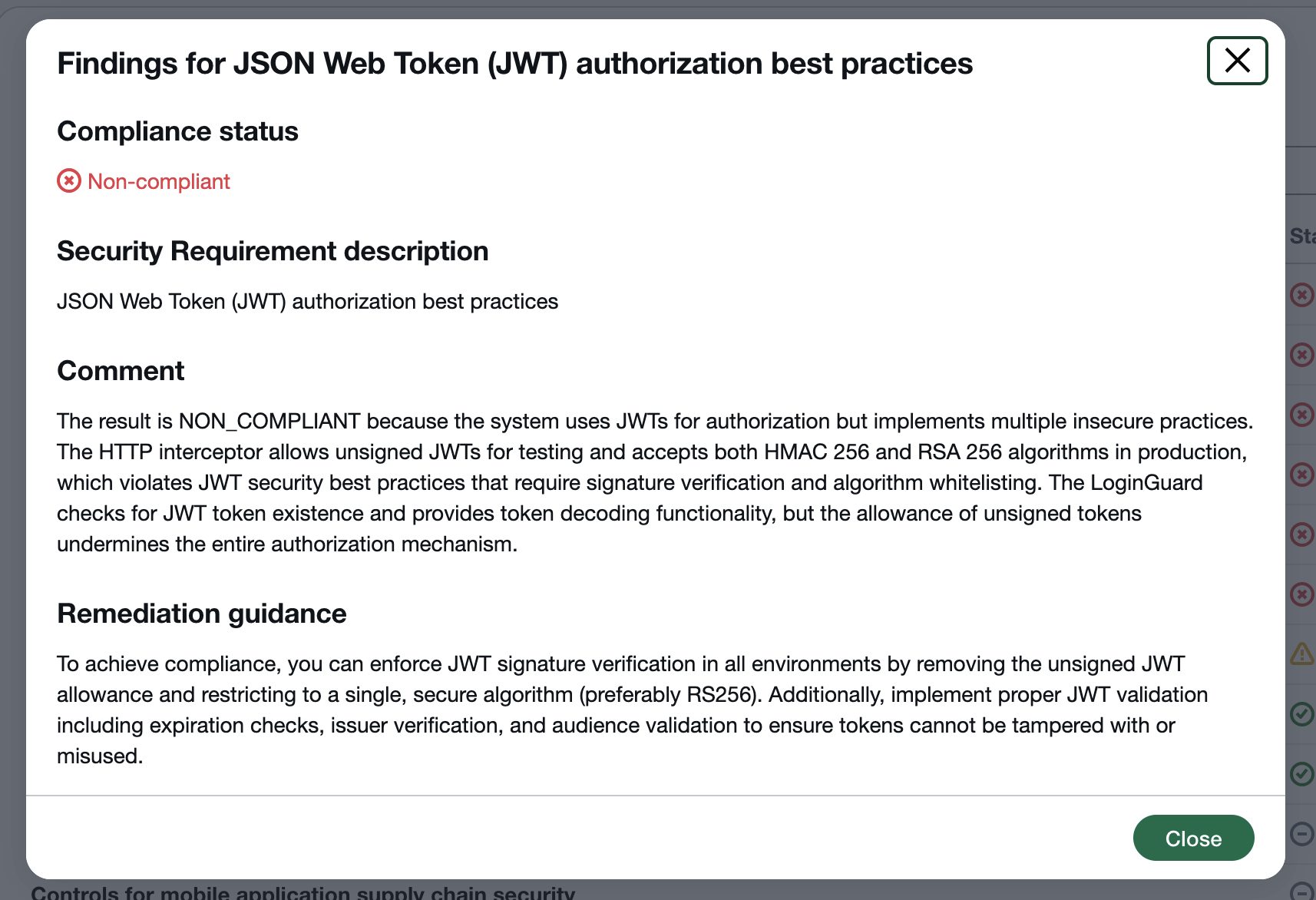
返回到GitHub上的Juice Shop私有分支,并打开命名为lib/insecurity.ts的Typescript文件。滚动到第54行和第56行,找到Juice Shop创建JWT和检查授权的位置。
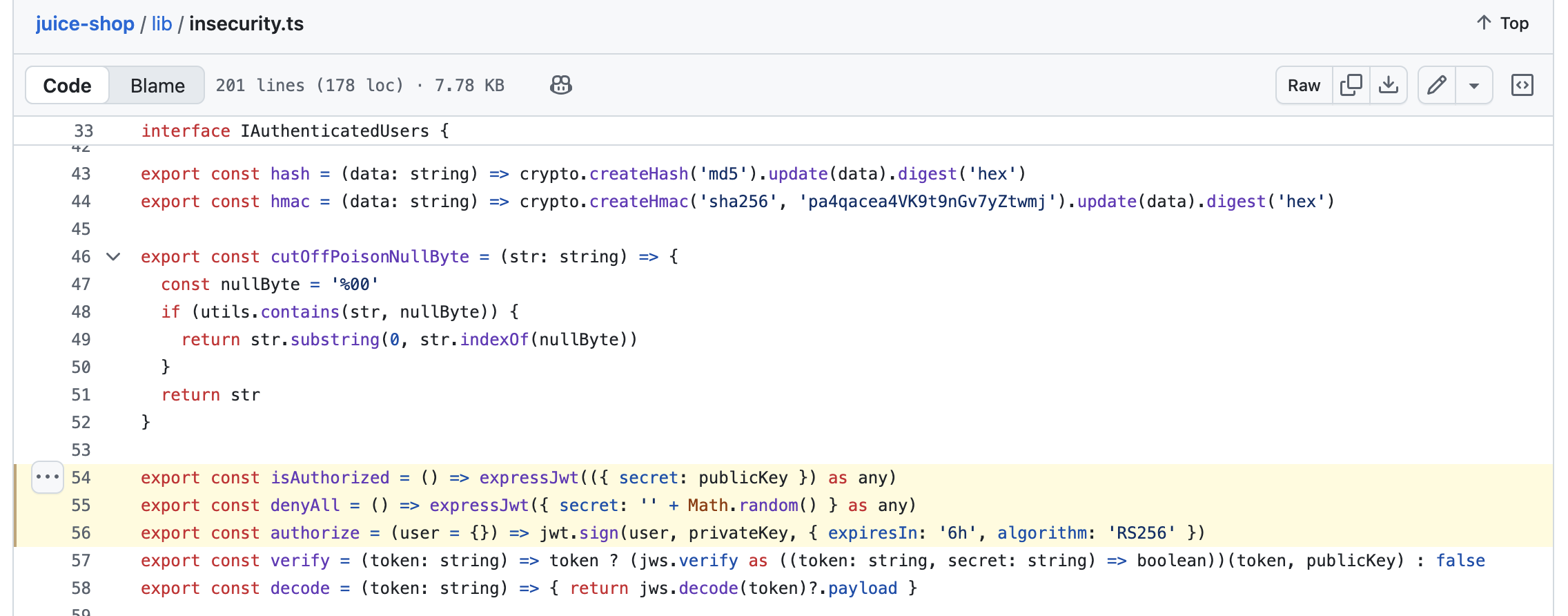
仔细检查这些函数,我们会发现一些错误,Agent的设计审查反馈可以帮助我们纠正。
-
JWT创建流程 - 在为新会话签署JWT时,Juice Shop实际上没有包含
audience或issuer声明。issuer表示创建JWT的服务器,而audience旨在表达JWT可能被使用的客户端集合。 -
JWT授权流程 - 在查看AWS Security Agent的反馈后,我们注意到Juice Shop使用的是过时版本的
express-jwt库。让我们用适当使用jws和jsonwebtoken组件来替换它,以解决关键漏洞。主要漏洞是缺少签名验证,这允许未签名(可能是伪造的)JWT被Juice Shop验证。此外,让我们还添加对上面介绍的audience和issuer声明的验证
提交更新的代码更改
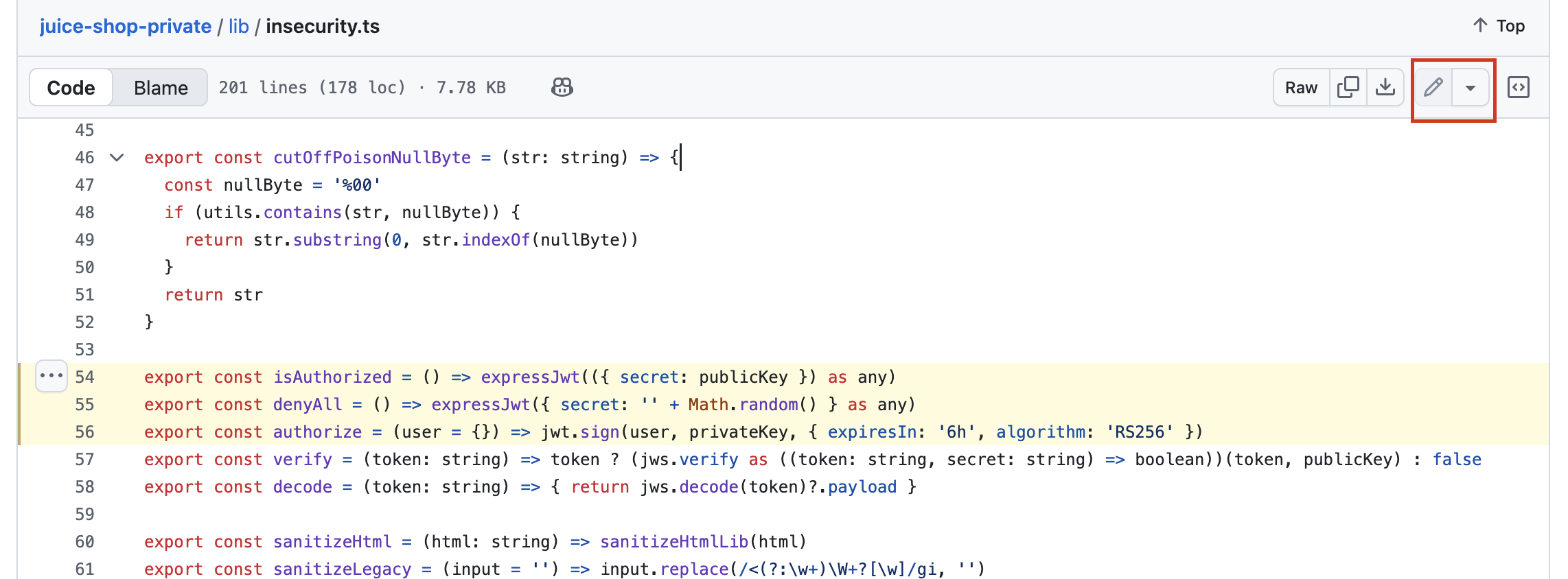
了解AWS Security Agent帮助我们标记的漏洞后,使用下面代码片段部分中的补丁修改lib/insecurity.ts。每个函数都应该完全替换为提供的代码。GitHub支持在浏览器内编辑文件,点击渲染文件右上角的铅笔图标。
代码片段
// Updated isAuthorized implementation
export const isAuthorized = () => {
  return (req: Request, res: Response, next: NextFunction) => {
    const token = req.headers.authorization ? req.headers.authorization.split(' ')[1] : req.cookies.token
    // Reject request if no JWT
    if (!token) {
      return res.status(401).json({ status: 'error', message: 'You need to be logged in to perform this action.' })
    }
    const decodedJws = jws.decode(token)
    if (decodedJws?.header.alg !== jws.ALGORITHMS[3]) {
      return res.status(401).json({ status: 'error', message: 'Token signature error'})
    } else {
      // Verify signature using RSA 256, or HMAC 256
      jwt.verify(token, publicKey, { audience: 'web', issuer: 'juice-shop', algorithms: ['HS256', 'RS256']  }, function (err, decoded) {
        if (err) {
          return res.status(401).json({ status: 'error', message: 'You need to be logged in to perform this action.' })
        } else {
          next()
        }
      })
    }
  }
}
// Add issuer, audience claims to our JWT creation
export const authorize = (user = {}) => jwt.sign(user, privateKey, { expiresIn: '6h', algorithm: 'RS256', issuer: 'juice-shop', audience: 'web' })
提交pull request并查看反馈
修改lib/insecurities.ts后,点击页面右上角的Commit changes按钮。当提示时,包含对更改的简短描述,选择Create a new branch for this commit and start a pull request。点击Propose changes并确保PR的基础是master。
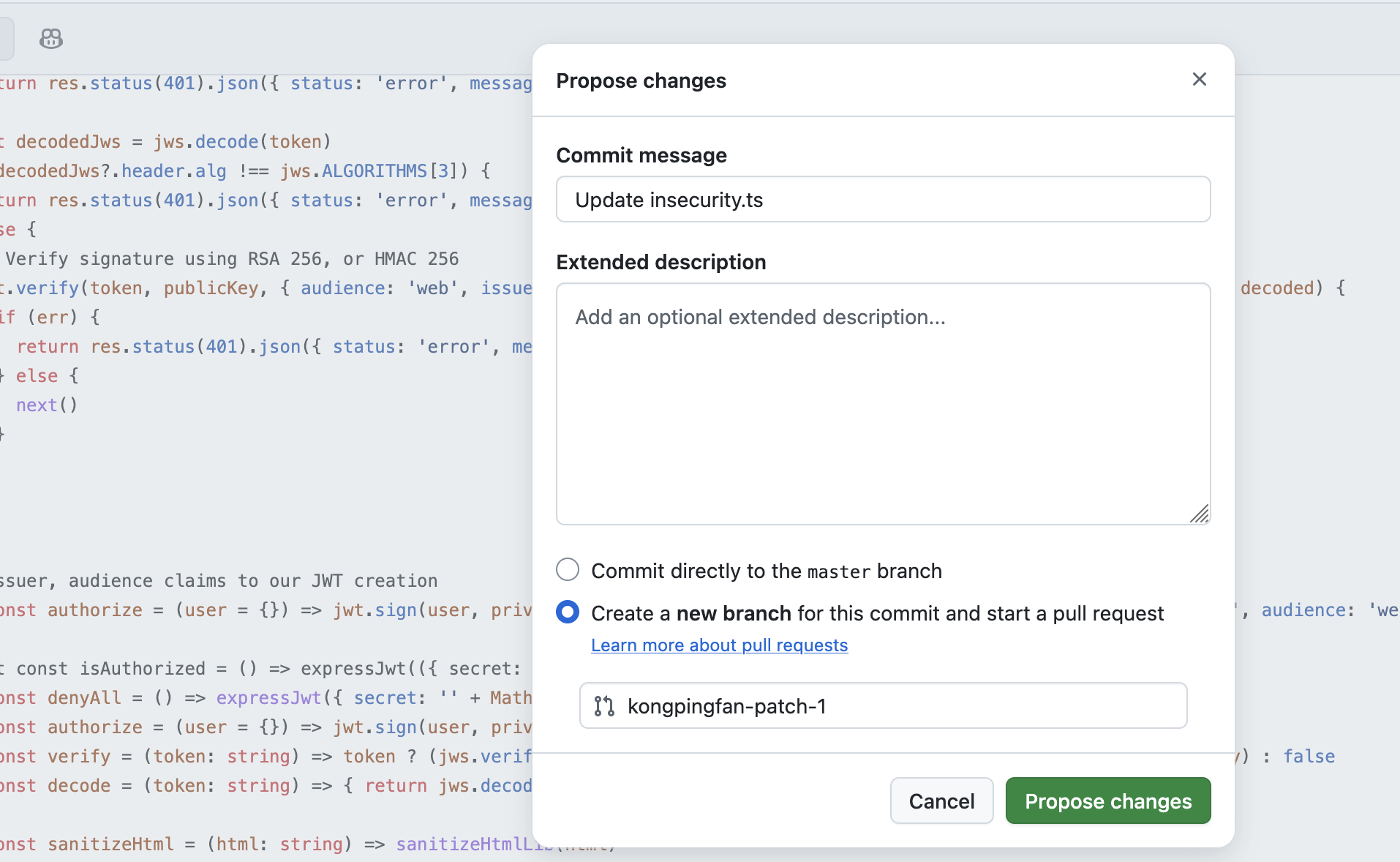
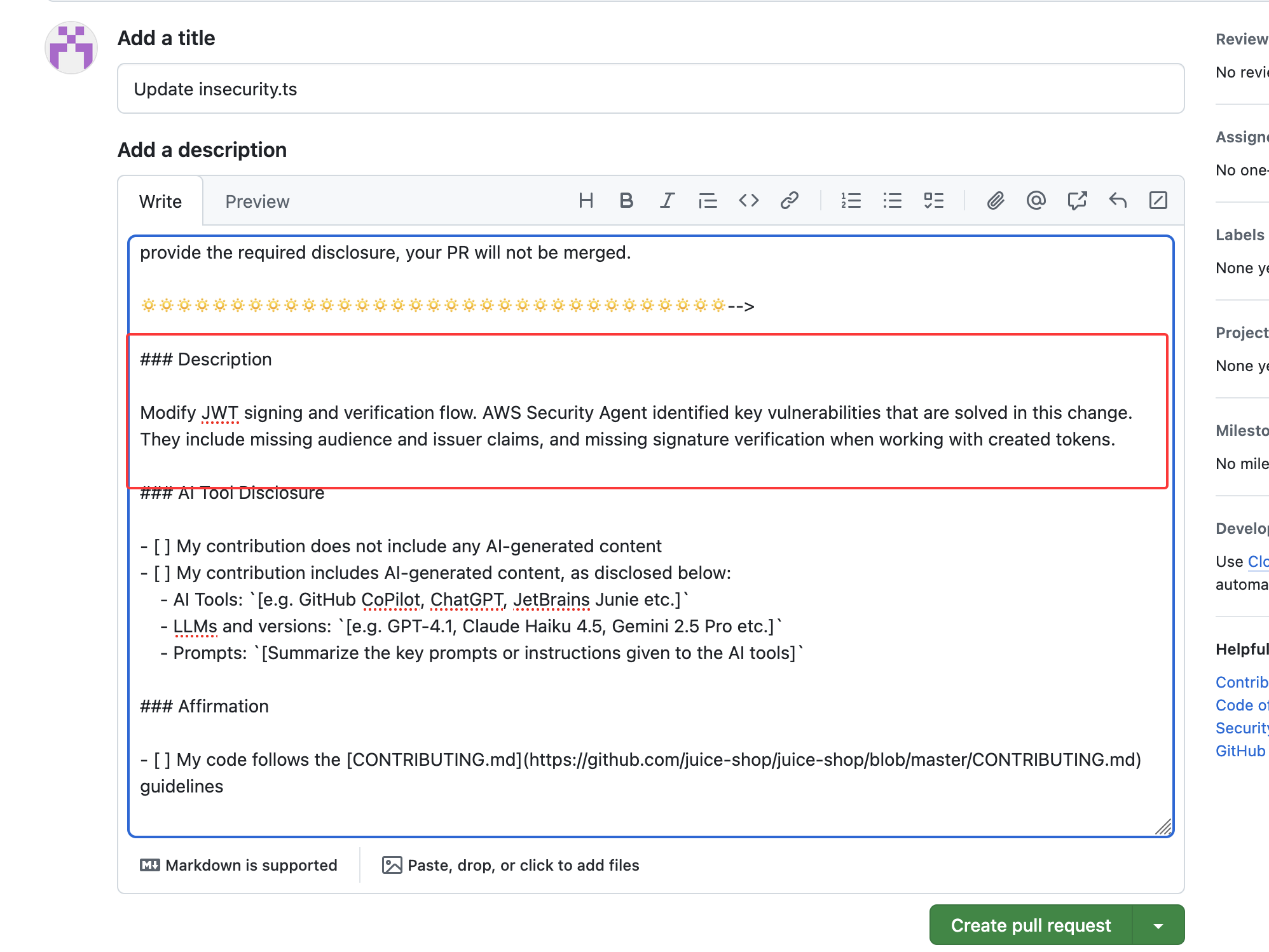
点击Create pull request提交您的更改以供审查。确保您将提交消息复制并粘贴到PR描述的有效部分:
Modify JWT signing and verification flow. AWS Security Agent identified key vulnerabilities that are solved in this change. They include missing audience and issuer claims, and missing signature verification when working with created tokens.
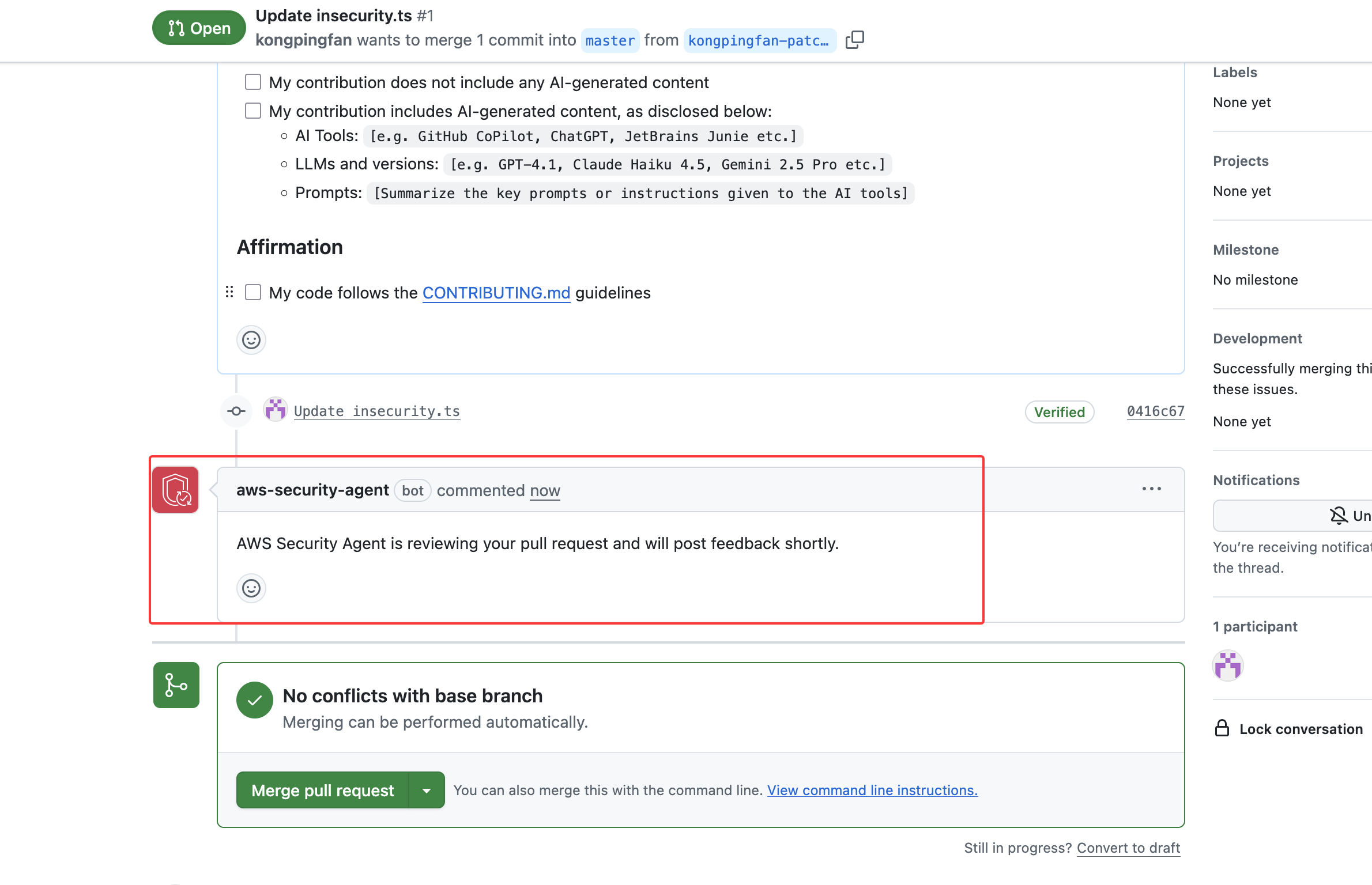
AWS Security Agent将自动检测新的拉取请求,并通知您代码正在审查中。
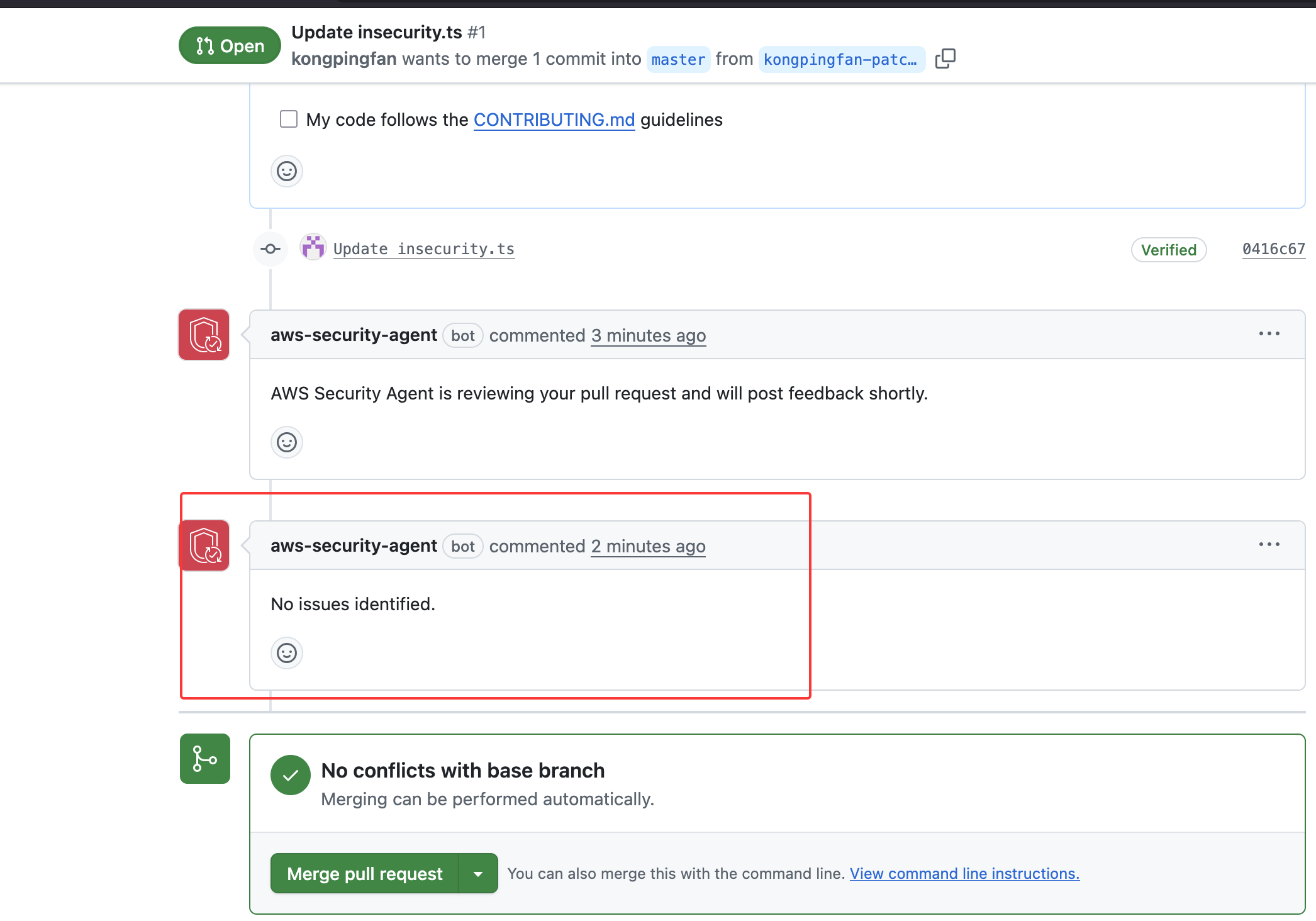
当AWS Security Agent发布其审查时,审查将自动更新。以下是您可能从Agent看到的内容预览:
代码审查总结
现在我们已完成了与AWS Security Agent的第一次代码审查。通过安全设计审查了解了Juice Shop的一个易受攻击的组件,并进行了代码调查和拉取请求。AWS Security Agent审查了我们的新更改,并提供了其发现.