创建 Policy Store Schema
我们创建了第一个策略,允许任务列表所有者管理他们的列表。我们还使用 Test bench 针对示例实体列表测试了该策略,并验证了策略按预期工作。
错误的Policy
然而,与所有代码一样,可能会出现导致代码行为不符合预期的错误。例如,以下是一个符合语法规则的格式正确的 Cedar 策略,但包含一些拼写错误和错误断言:
permit (
    principal == Uzer::"alice",  // Oops, should be "User", not "Uzer"
    action == Action::"readList", // Oops, should be "ReadList", not "readList"
    resource == Uzer::"bob" // Oops, "readList" isn't a valid operation on a User
);
Cedar 无法通过单独检查此策略来判断它是否正确。例如,Cedar 不知道策略作者是指 Uzer 还是 User,因为两者都是格式正确的名称。如果该策略随后在授权决策期间被评估,Cedar 将返回有关未定义属性和字符串与整数无效比较的诊断警告。但是,如果没有关注这些诊断信息,最终用户只会观察到该策略没有任何影响;它被忽略了。
让我们尝试创建上述策略。在 Amazon Verified Permissions 页面上,单击左侧菜单中的 Policies,单击右上角的 Create policy,然后选择 Create static policy。
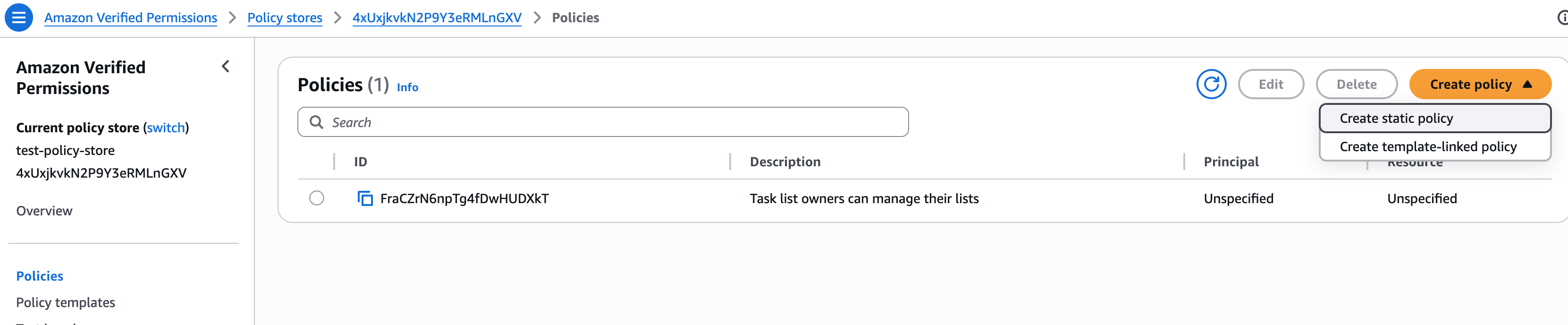
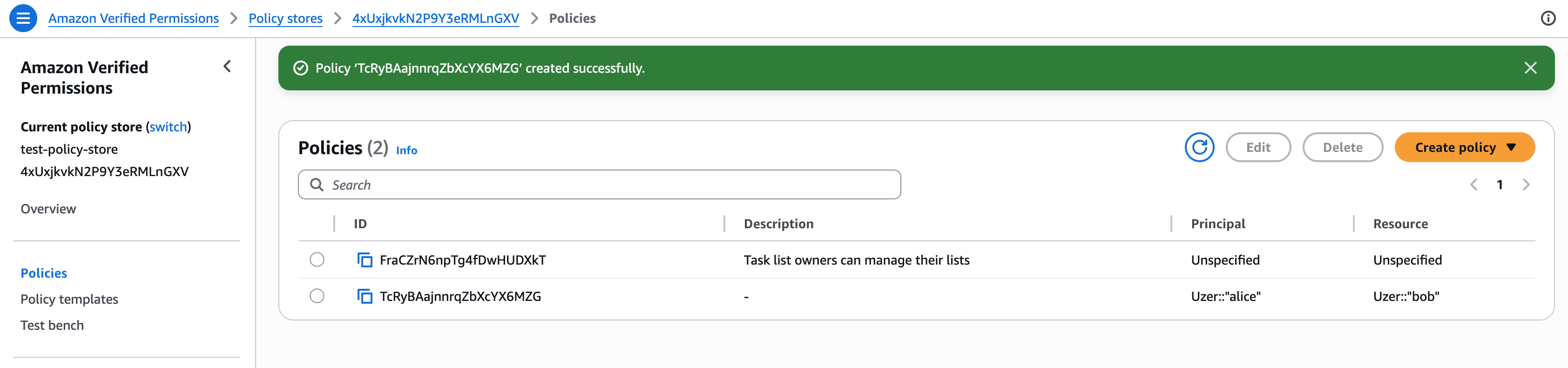
单击 Next,将上面的策略复制到策略编辑器中,然后单击 Create policy。如我们所见,尽管策略中存在逻辑错误,该策略仍成功创建。
策略验证
要验证策略,Cedar 需要有关系统的信息。它需要知道 Entity Types 的正确名称、它们拥有的属性、允许的父/子关系,以及实体是否可以充当 principals 或 resources(或两者)。所有这些都通过 schema 文件提供给 Cedar。
定义 schema
为我们的应用创建一个 schema。schema 文件是一个 JSON 文件。在 Amazon Verified Permissions 页面上,单击左侧菜单中的 Schema,然后单击右上角的 Create schema。
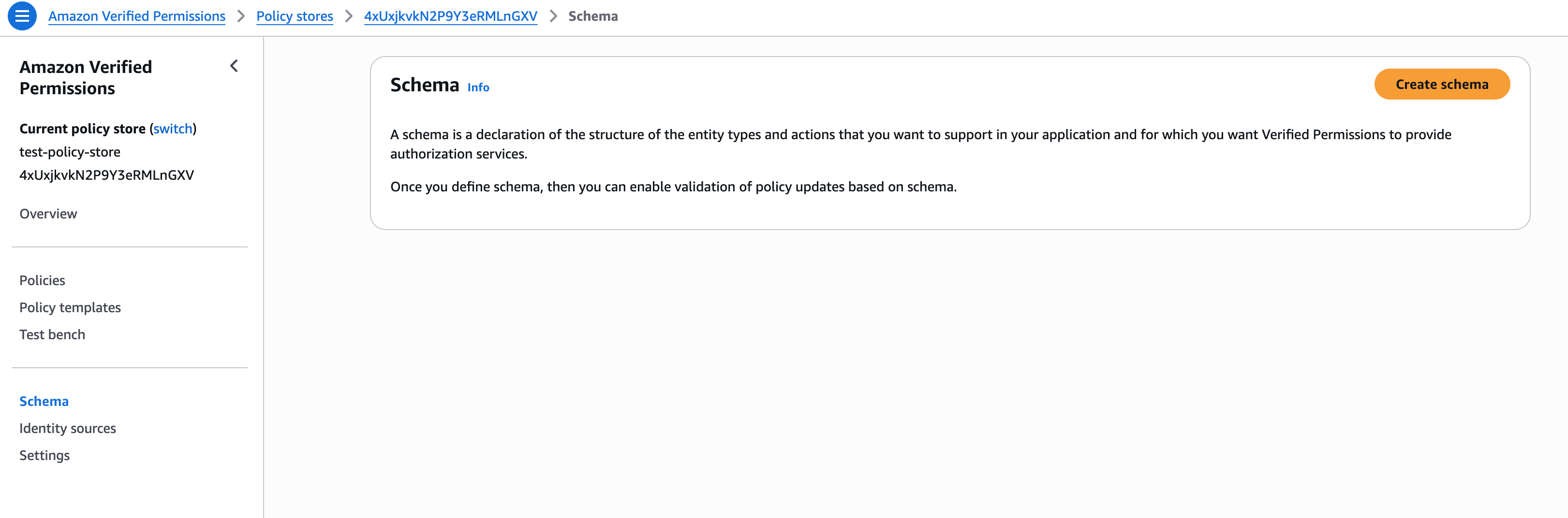
以下是我们应用程序的 schema。单击 JSON mode,将其复制并粘贴到 Contents 编辑器中,然后单击 Save changes。
{
  "TinyTodo": {
    "entityTypes": {
      "User": {},
      "List": {
        "memberOfTypes": [],
        "shape": {
          "type": "Record",
          "attributes": {
            "listId": { "type": "Long" },
            "description": { "type": "String" },
            "name": { "type": "String" },
            "nextTaskId": { "type": "Long" },
            "owner": { "type": "Entity", "name": "User" }
          }
        }
      },
      "Task": {
        "memberOfTypes": ["List"],
        "shape": {
          "type": "Record",
          "attributes": {
            "listId": { "type": "Long" },
            "description": { "type": "String" },
            "name": { "type": "String" },
            "taskId": { "type": "Long" },
            "owner": { "type": "Entity", "name": "User" }
          }
        }
      }
    },
    "actions": {
      "ReadList": {
        "appliesTo": {
          "resourceTypes": ["List"],
          "principalTypes": ["User"],
          "context": {
            "type": "Record",
            "attributes": {
              "listId": { "type": "Long" }
            }
          }
        }
      },
      "UpdateList": {
        "appliesTo": {
          "resourceTypes": ["List"],
          "principalTypes": ["User"],
          "context": {
            "type": "Record",
            "attributes": {
              "listId": { "type": "Long" }
            }
          }
        }
      },
      "CreateList": {
        "appliesTo": {
          "resourceTypes": ["List"],
          "principalTypes": ["User"],
          "context": {
            "type": "Record",
            "attributes": {
              "listId": { "type": "Long" }
            }
          }
        }
      },
      "DeleteList": {
        "appliesTo": {
          "resourceTypes": ["List"],
          "principalTypes": ["User"],
          "context": {
            "type": "Record",
            "attributes": {
              "listId": { "type": "Long" }
            }
          }
        }
      },
      "ListLists": {
        "appliesTo": {
          "resourceTypes": ["List"],
          "principalTypes": ["User"],
          "context": {
            "type": "Record",
            "attributes": {
              "listId": { "type": "Long" }
            }
          }
        }
      },
      "ListTasks": {
        "appliesTo": { "resourceTypes": ["Task"], "principalTypes": ["User"] }
      },
      "ListSharedLists": {
        "appliesTo": {
          "resourceTypes": ["List"],
          "principalTypes": ["User"],
          "context": {
            "type": "Record",
            "attributes": {
              "listId": { "type": "Long" }
            }
          }
        }
      },
      "CreateTask": {
        "appliesTo": {
          "resourceTypes": ["Task"],
          "principalTypes": ["User"],
          "context": {
            "type": "Record",
            "attributes": {
              "listId": { "type": "Long" }
            }
          }
        }
      },
      "ReadTask": {
        "appliesTo": {
          "resourceTypes": ["Task"],
          "principalTypes": ["User"],
          "context": {
            "type": "Record",
            "attributes": {
              "listId": { "type": "Long" }
            }
          }
        }
      },
      "UpdateTask": {
        "appliesTo": {
          "resourceTypes": ["Task"],
          "principalTypes": ["User"],
          "context": {
            "type": "Record",
            "attributes": {
              "listId": { "type": "Long" }
            }
          }
        }
      },
      "DeleteTask": {
        "appliesTo": {
          "resourceTypes": ["Task"],
          "principalTypes": ["User"],
          "context": {
            "type": "Record",
            "attributes": {
              "listId": { "type": "Long" }
            }
          }
        }
      }
    }
  }
}
我们可以在 Visual mode 中查看结果。
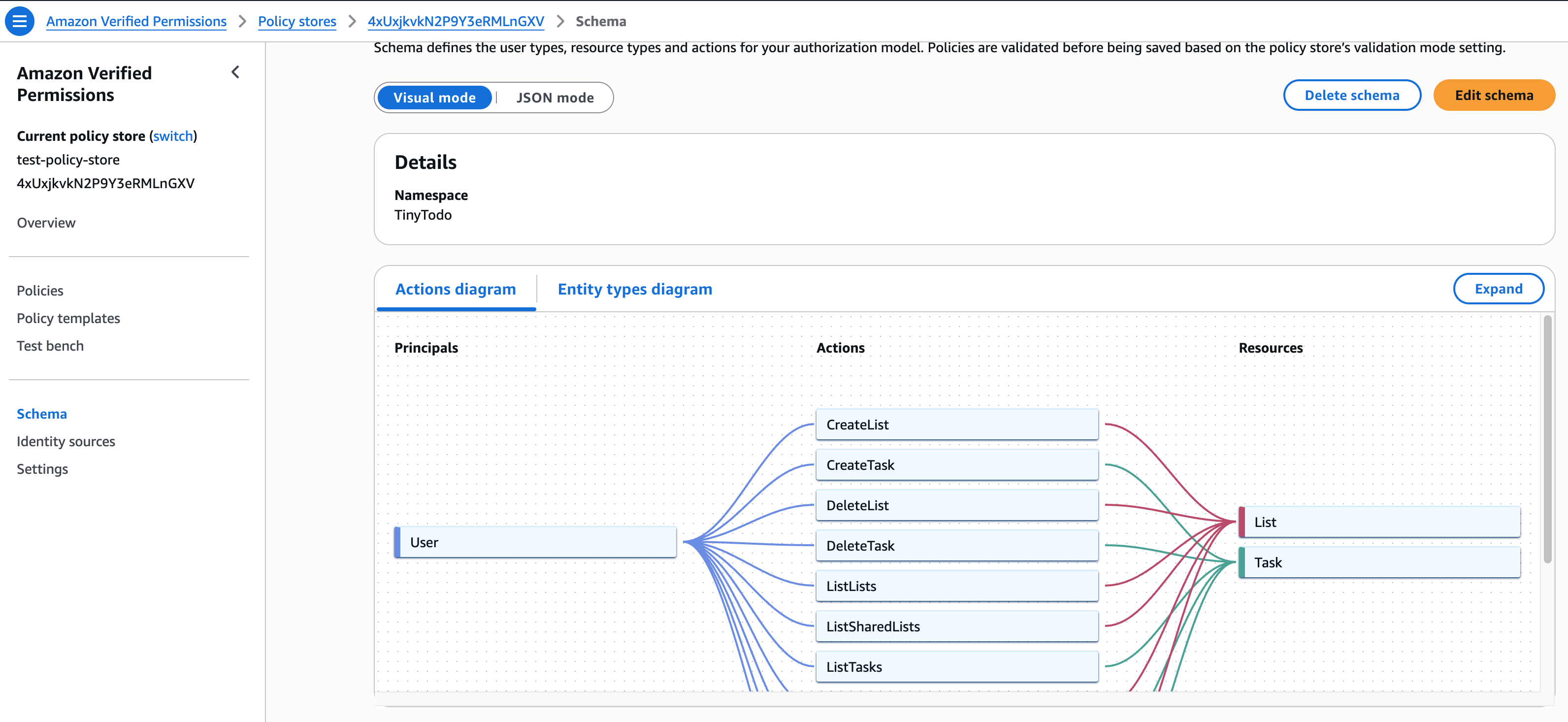
请注意,schema 文件不是策略。它不授予或拒绝对任何资源的访问。它仅定义系统的结构。它是策略作者与 Cedar 之间的契约。
策略作者同意编写符合 schema 的策略,Cedar 同意根据 schema 验证策略。
schema 要求用户遵循使用命名空间的最佳实践。在本例中,命名空间为 TinyTodo。命名空间用于对相关策略进行分组并避免命名冲突。例如,如果我们在 TinyTodo 命名空间中有一个 ReadList 操作,我们也可以在 InventoryManagement 命名空间中有一个 ReadList 操作。这两个操作彼此完全独立。
启用策略验证模式
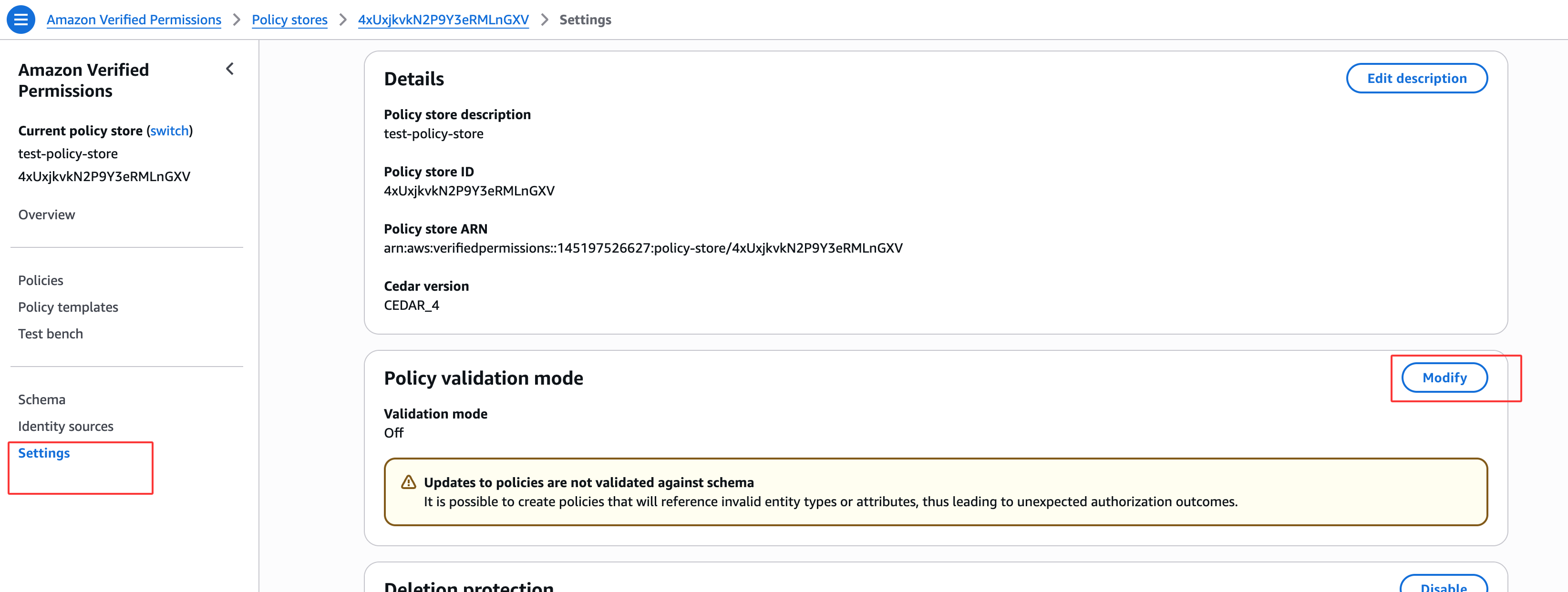
现在我们有了 schema,让我们启用策略验证模式。单击左侧菜单中的 Settings,然后单击 Policy validation mode 旁边的 Modify。选择 Strict (recommended) 并单击 Save changes。
测试 schema
现在我们有了 schema,让我们回到包含错误的策略。Schema 文件不会影响现有策略的授权运行时行为。策略被接受到系统后,无论 schema 如何随时间演变,它都将继续保持相同的行为。因此,让我们删除之前创建的包含错误的策略,并尝试再次创建它以验证 schema 是否正常工作。
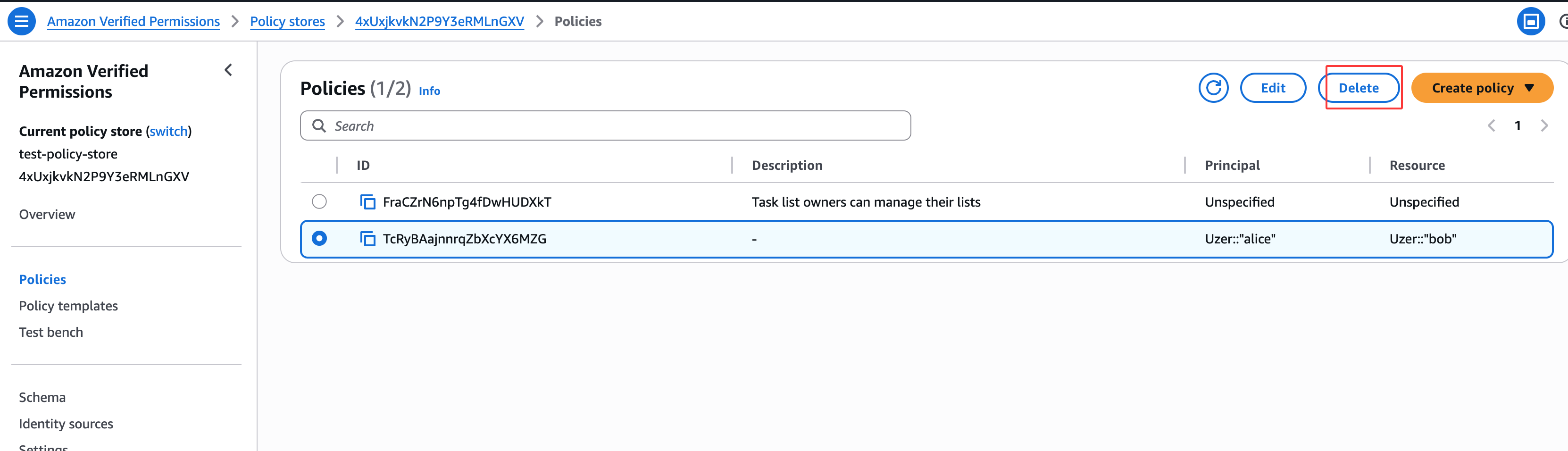
要删除策略,请单击左侧菜单中的 Policies,选择我们之前创建的策略,然后单击 Delete。确认删除。
现在让我们尝试再次创建它。
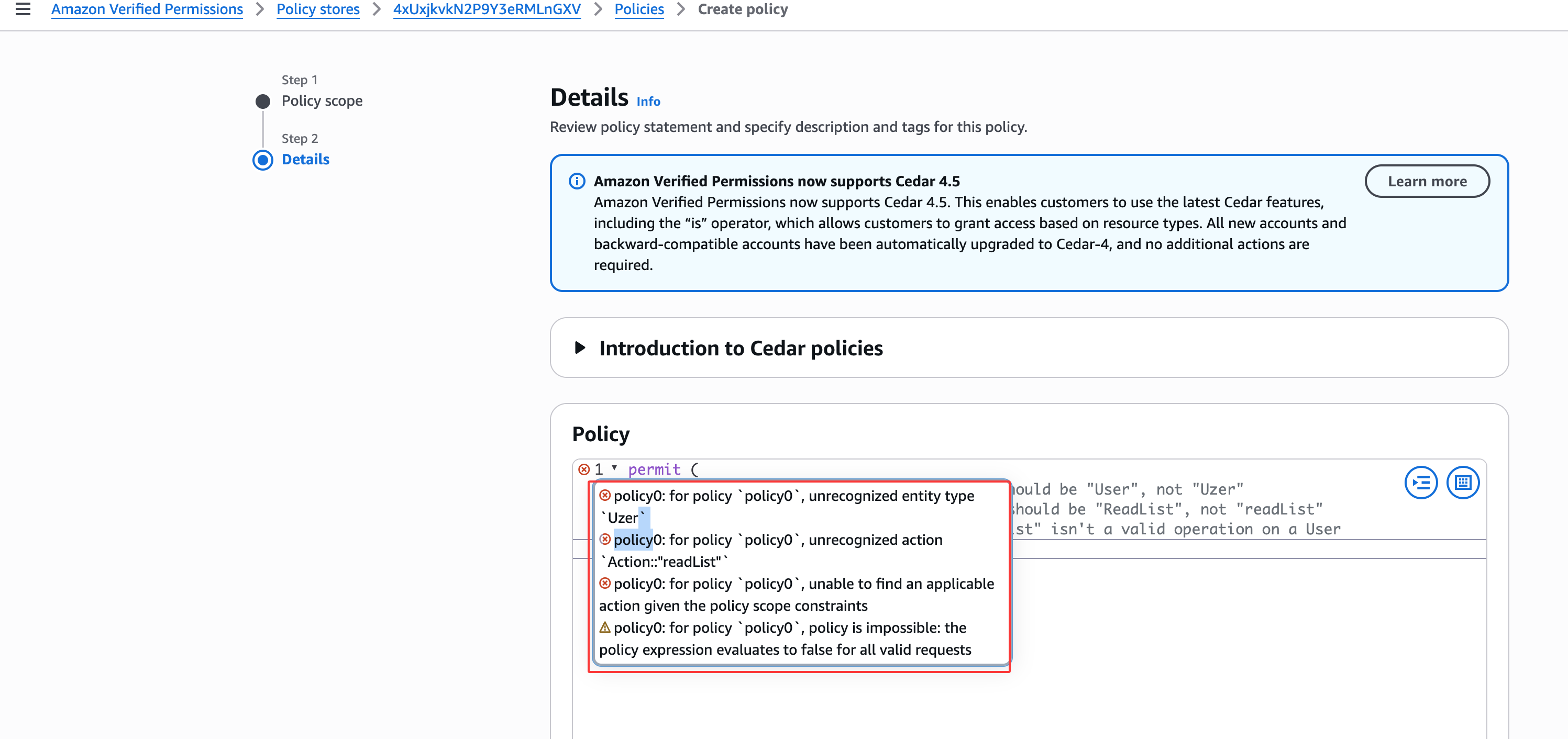
请注意策略验证错误。错误消息显示实体类型 Uzer 和操作 id Action::"readList" 无法被识别,在给定的 resource 下策略是不可能的。策略表达式对所有有效请求的评估结果为 false。
schema 按预期工作.